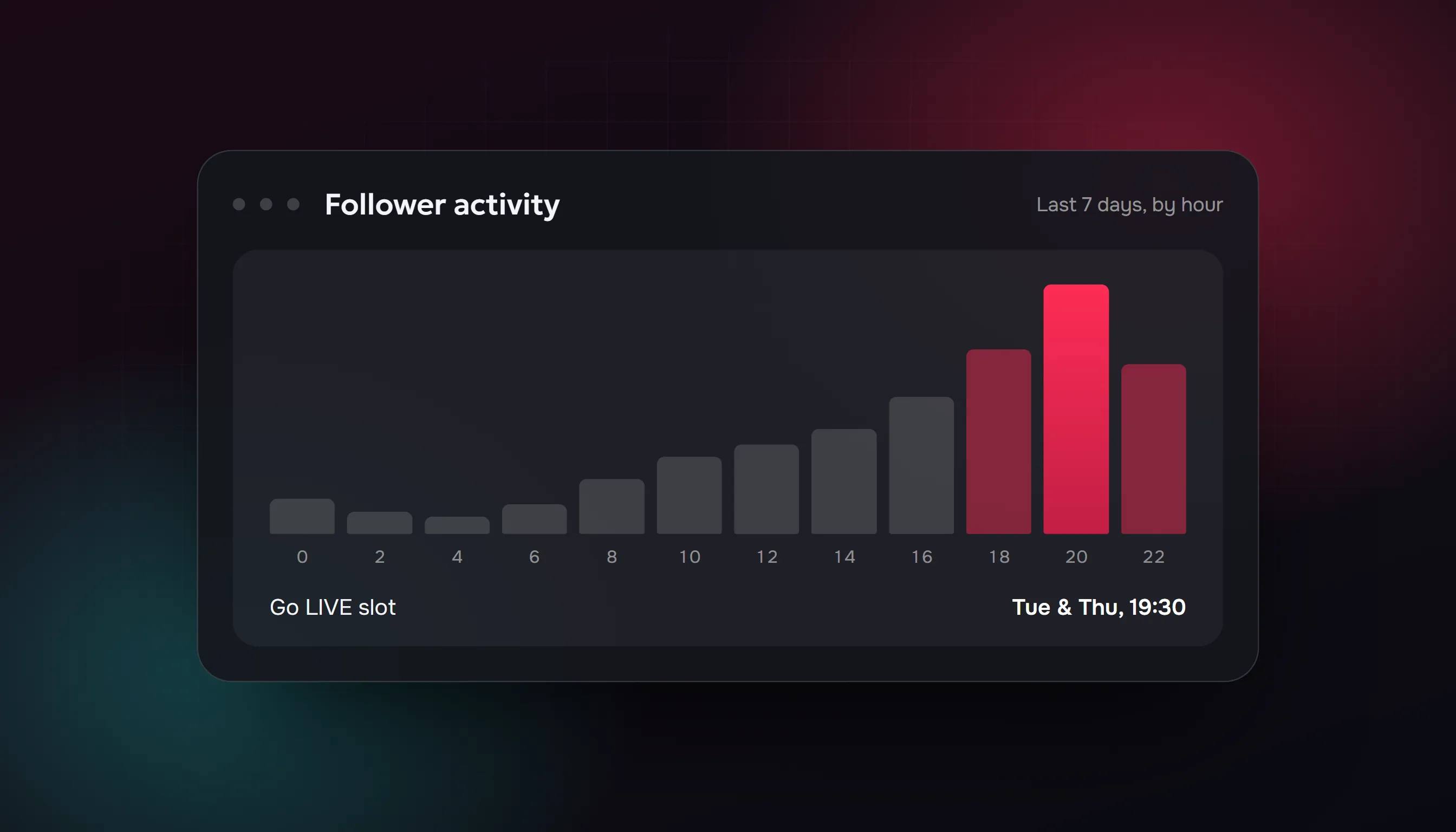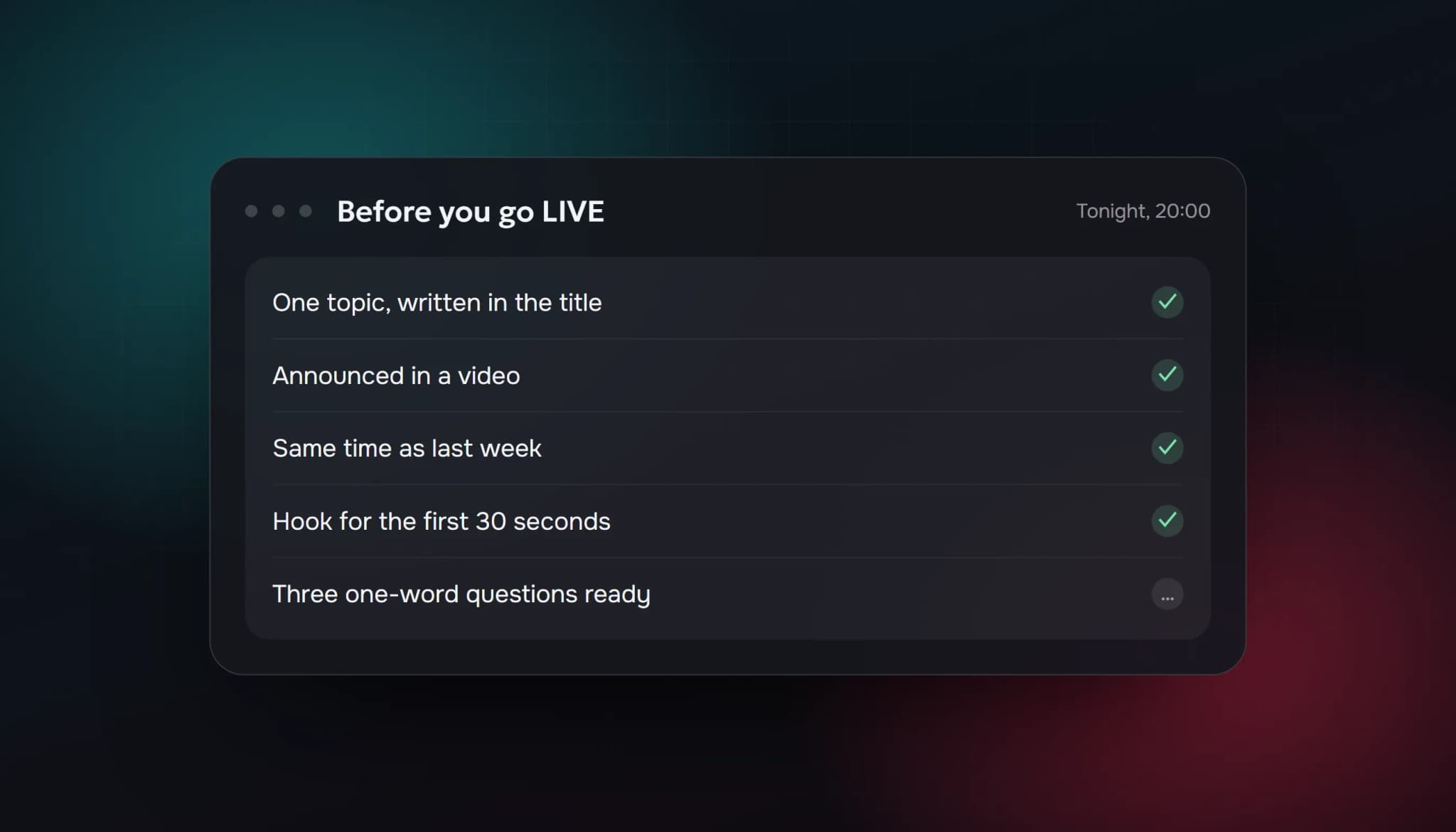
TikTok LIVE grows through your videos, your first minute and your regulars. People swipe through LIVEs quickly, so what decides whether a stranger joins is what they see in the first seconds: how many are in the room, what you're doing and whether you talk to them.
The tips below are practical habits we recommend. They're our own experience, not TikTok statistics, and where TikTok says something itself we say so and link it.
First: check that you can go LIVE
TikTok decides who can go LIVE, and it changes the rules from time to time. In most regions there is an age minimum and, often, a minimum follower count, and both have changed over the years and differ by region. Check the LIVE option and its requirements in your app instead of relying on an old number from a blog post, including this one.
1. Let videos bring people to your LIVE
TikTok's own explanation of how it recommends videos says recommendations are shaped by what you interact with (likes, shares, comments, follows), information about the video (captions, sounds, hashtags) and your device and account settings. It also says follower count is not a direct factor in recommendations.
That's about videos, but it matters for LIVE: a video strangers like gets shown to more strangers, and some of them follow you. Those followers are the people most likely to join your LIVE. Post regularly, and end videos by telling people when you're LIVE next.
2. Go LIVE at the same times every week
People come back to creators they can predict. Pick two or three slots you can keep for months, say them in your videos and put them in your bio. A time you can keep every week beats a "perfect" time you can only manage sometimes.
3. Pick one topic and say it
A LIVE with a clear topic is easier to join than "chilling". Decide what the LIVE is about before you start, put it in the title and repeat it in the first minute: "I'm cooking this three-course dinner on a 10 euro budget, ask me anything."
4. Open with a hook, not a setup
The first 30 seconds decide whether a newcomer stays. Start on camera with energy. Don't spend the opening minutes fixing audio or waiting for people. If something needs adjusting, do it before you go LIVE.
5. Say what's happening every few minutes
Viewers arrive all the time and never saw your intro. Every few minutes, say in one sentence who you are and what's going on: "Welcome in, I'm Sunny, we're building a lofi playlist and you're choosing the next track." It costs you ten seconds and saves each newcomer from guessing.
6. Ask small questions and use names
The easiest message to send is a one-word answer. Ask "left or right?", "which song next?" or "where are you watching from?" and read the answers aloud with the person's name. People who hear their own name stay longer and come back.
7. Invite guests
TikTok lets creators go LIVE with guests, and a guest brings some of their own audience into your room. Co-hosting with a creator of similar size is one of the best ways to reach people who already like your kind of content. Check the LIVE features in your app for guest options and their requirements.
8. Turn your LIVE into videos
A good moment from a LIVE is a ready-made video: a funny reaction, a good answer, a skill you showed. Cut a 15 to 40 second clip, post it, and tell people when the next LIVE is. That connects tip 1 to the others.
9. Keep your numbers honest
A small, real room can be a good room. If you're tempted to inflate the count, know what you're doing: TikTok's Community Guidelines prohibit services that artificially increase engagement and using bot accounts to drive traffic. We explain what a viewer bot does and doesn't do, and the risks, in our guide to the TikTok live viewer bot. Our buy TikTok live viewers page lists the plans, which include viewers only, with no chat, gifts or followers.
Whatever you choose, the habits above are what keep people once they arrive.
Quick checklist for your next LIVE
- A clear topic, written in the title
- Announced in a video and in your bio
- Same day and time as last week
- A hook ready for the first 30 seconds
- One-sentence recap you'll repeat every few minutes
- Two or three questions people can answer in one word
- A clip cut from the best moment afterwards
FAQ
How many viewers do I need on a TikTok LIVE?
There's no number you need. A room with 20 engaged people is better than one with 200 who don't talk.
Do videos really affect my LIVE?
Yes. Videos are how most strangers find you, and the followers they bring are the people most likely to join.
What should I do when nobody joins?
Keep talking as if someone were there, greet people the moment they arrive, and cut the best moment into a video afterwards.
Is it worth buying viewers?
It changes the number people see, nothing else, and it carries a policy risk. Our guide on the TikTok live viewer bot explains both sides.
Sources: TikTok Newsroom: How TikTok recommends videos #ForYou; TikTok Community Guidelines, version effective 13 September 2025. Checked 6 October 2026.
- how to get more viewers on tiktok live
- tiktok live tips
- grow tiktok live
- tiktok live viewers
- how to get people to join your tiktok live
ViewerBoss Team
Guides on growing a stream on Twitch and Kick