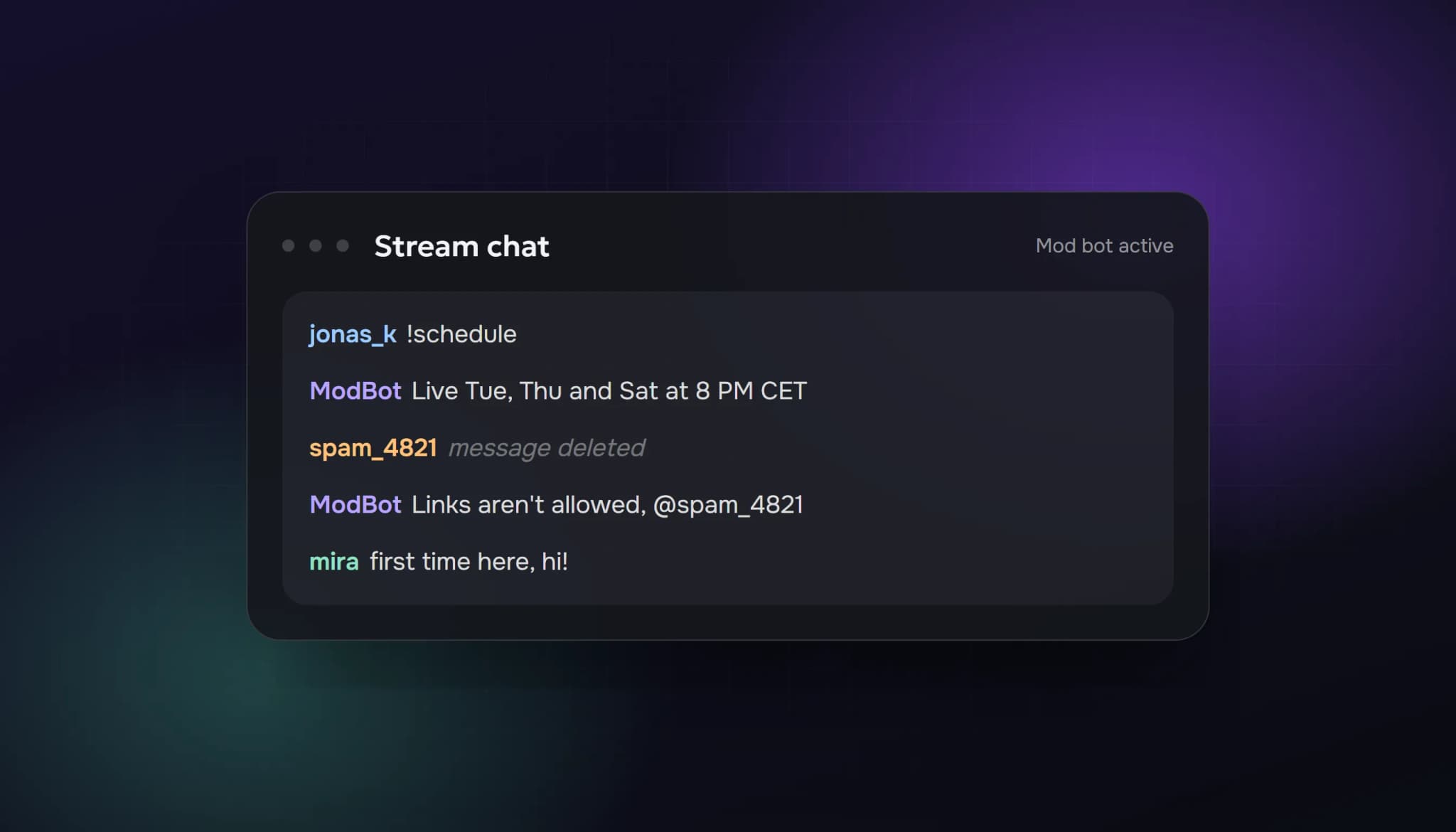
A "Twitch chat bot" is one of two very different things. The first kind is a moderation and command bot such as Nightbot, StreamElements or Fossabot: it filters spam, answers !commands and posts timed messages. These are free to start, allowed, and almost every streamer should run one. The second kind is a chatter bot: accounts that post messages so a chat looks busy. Twitch says it investigates artificially inflated chat activity, so that kind carries real risk.
This guide covers both, starting with the bot you should set up today.
Part 1: Moderation and command bots
What a moderation bot does
- Filters spam: links, excessive caps, repeated characters, banned words and emote walls.
- Answers commands:
!discord,!socials,!specs,!schedule, so you don't repeat yourself. - Posts timed messages: a reminder to follow, or your next stream time, every 20–30 minutes.
- Runs giveaways, polls and loyalty points (depending on the bot).
The main options in 2026
| Bot | Best for | Where it runs | Notes |
|---|---|---|---|
| Nightbot | Beginners who want commands and spam filters fast | Twitch, YouTube | Cloud-hosted; usually running in minutes |
| StreamElements | An all-in-one setup | Twitch, YouTube and others | Chatbot plus overlays, alerts and loyalty points in one dashboard |
| Fossabot | Streamers who need strong moderation | Twitch, YouTube, Kick | Blocked-terms engine and logs of moderator actions |
| Moobot | Fine-grained auto-moderation | Twitch | Long-running Twitch-only bot with free and paid options |
| Streamlabs Cloudbot | People already using Streamlabs | Twitch, YouTube and others | Some features need Streamlabs' paid plan |
| Streamer.bot / Firebot | Heavy automation | Your PC (desktop apps) | More powerful, more setup |
All of these are free to start. Some have paid tiers, so check each one's current pricing page before you commit.
Our pick: start with Nightbot if you want the simplest setup, StreamElements if you also need alerts and overlays, and Fossabot if your chat gets busy or you stream on Kick as well.
Twitch's built-in tools come first
Before adding any bot, turn on what Twitch already gives you in your Creator Dashboard:
- AutoMod, which holds risky messages for review.
- Blocked terms, for words you never want in your chat.
- Shield Mode, a one-click set of stricter settings for when a raid or spam wave hits.
A bot works on top of these. It doesn't replace them.
Set up a chat bot in 10 minutes
- Sign in to the bot's website with your Twitch account and connect your channel.
- Make it a moderator by typing
/mod botnamein your chat (for example/mod nightbot), so it can delete spam. - Add three commands:
!discord,!socialsand!schedule. - Turn on spam filters for links and excessive caps. Allow links from moderators and subscribers if you want.
- Add one timer, for example your schedule every 30 minutes. One is enough; five in a row feels like spam.
- Test it with a second account before your next stream.
Part 2: "Chatters" and AI chat bots
What people mean by "free Twitch chatters"
When people search for "free Twitch chatters" or "viewers and chatters", they usually want a chat that looks active: accounts that post messages during the stream. Some services use scripted lines, and newer ones use AI that reacts to what's happening on stream.
What Twitch says
Twitch's help article on fake engagement says it is always investigating artificially inflated viewers, chat activity and follower counts. Fake chat is named right next to fake viewers. In May 2026 Twitch also announced viewer caps for channels it finds persistently viewbotting. We explain both in can Twitch detect view bots?
Other platforms are moving the same way. In August 2026 Kick added an active chatter count, which makes a gap between viewers and real chatters visible to anyone.
Why "free chatters" are especially risky
- They often want your login. Never give a stream key, password or session to a free tool.
- Scripted messages are easy to spot. Real viewers notice when the same five lines repeat.
- A busy chat that never replies to you looks worse than a quiet one.
Where AI chat fits
We sell plans that include AI chat messages on Twitch and YouTube Live, so we'll be straight about them. They react to the stream and can make a new viewer's first impression less empty. But they're still artificial engagement, they don't replace real conversation, and no provider can promise Twitch won't act on them. Our Twitch view bot page explains how ours works.
What actually fills a chat
A bot can't build a community. These do:
- Talk first. Say what you're doing and ask a question people can answer in one word.
- Greet everyone by name, including lurkers who say one thing.
- Use your bot's commands to make joining in easy (
!vote,!guess).
We have a full guide on getting people to talk in your Twitch chat, even with three viewers.
Quick checklist
- AutoMod, blocked terms and Shield Mode set up
- One moderation bot added and modded
- Three commands and one timer
- Link and caps filters on
- No free tool has your login or stream key
FAQ
What is the best chat bot for Twitch?
For most streamers: Nightbot for simplicity, StreamElements for an all-in-one setup with alerts, and Fossabot for heavier moderation or Kick support.
Are Twitch chat bots free?
The main moderation bots are free to start. Some have paid tiers with extra features.
Are chat bots allowed on Twitch?
Moderation and command bots are allowed and widely used. Bots that post fake messages to make a chat look active fall under what Twitch calls artificially inflated chat activity.
Do free Twitch chatters work?
They can make a chat look busier, but Twitch investigates fake chat activity, and free tools often ask for account access. That's a risk to your account.
How do I add Nightbot to Twitch?
Sign in at Nightbot with Twitch, connect your channel, type /mod nightbot in your chat, then add your commands and filters.
Sources: Twitch Help: How to handle viewership botting and fake engagement; Dexerto: Kick's active chatter count; bot features from each bot's public pages and independent comparisons. Checked 25 October 2026.
ViewerBoss Team
Guides on growing a stream on Twitch and Kick