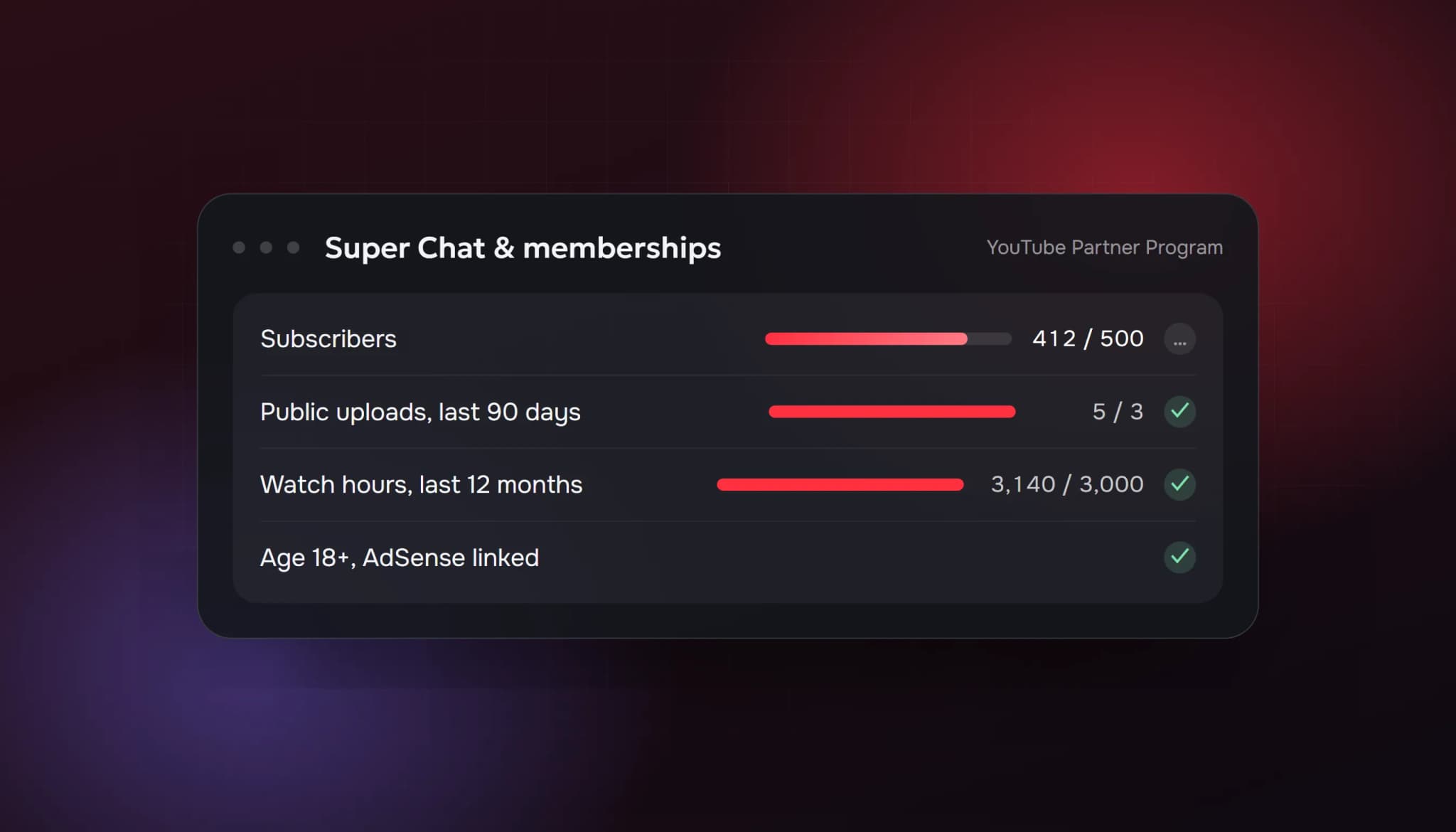
YouTube live streams can earn money at two levels. At 500 subscribers, with 3 public uploads in the last 90 days and 3,000 watch hours in the last 12 months, you can join the YouTube Partner Program and turn on Super Chat, Super Stickers, channel memberships and Super Thanks. Ads on your streams need the full threshold: 1,000 subscribers and 4,000 watch hours in the last 12 months.
The numbers below come from YouTube Help, checked on 4 October 2026. YouTube has also announced updates to the Partner Program starting 1 February 2027, so check the linked pages before you plan around them.
Before you can monetize: going live at all
Monetization only matters once you can stream. YouTube's requirements to go live are:
- You're at least 16 years old
- Your channel is verified (a phone number check)
- You've had no live streaming restrictions in the last 90 days
- For streaming from the mobile app, you need at least 50 subscribers
Your first live stream can take up to 24 hours to be enabled. After that you can go live instantly. Streaming from a computer with a webcam or an encoder such as OBS has no subscriber minimum.
Level 1: fan funding at 500 subscribers
This is the level that matters most for live streamers, because the features it unlocks are the ones viewers use during a stream.
| Requirement | Minimum | Window |
|---|---|---|
| Subscribers | 500 | Total |
| Valid public uploads | 3 | Last 90 days |
| Qualified watch hours on long-form videos | 3,000 | Last 12 months |
| or qualified Shorts views | 3 million | Last 90 days |
Once you're accepted, you can turn on:
- Super Chat and Super Stickers: paid, highlighted messages in your live chat
- Channel memberships: monthly payments for perks like badges and emotes
- Super Thanks: paid comments on uploaded videos
- Jewels and gifts and Shopping features
To use fan funding you also need to be 18 or older, live in a country where the feature is available, and accept the Commerce Product Module in YouTube Studio. Memberships are not available on channels set as made for kids, or on channels with a large share of ineligible videos (for example, videos with music claims).
Level 2: ad revenue at 1,000 subscribers
| Requirement | Minimum | Window |
|---|---|---|
| Subscribers | 1,000 | Total |
| Qualified watch hours | 4,000 | Last 12 months |
| or qualified public Shorts views | 10 million | Last 90 days |
This level adds a share of ad revenue and YouTube Premium revenue, including ads on your live streams and their archives.
Both levels also require that you follow YouTube's monetization policies, live in a country where the Partner Program is available, have no active Community Guidelines strikes, turn on 2-Step Verification and link an AdSense for YouTube account.
How live streams count toward the thresholds
Live streams help with both numbers, but in different ways:
- Archives become videos. By default YouTube publishes the recording of your stream on your channel. Watch time on a public archive counts toward the watch hours, and the archive counts as an upload.
- Long streams build watch hours fast. A 3-hour stream with 15 people watching for an hour each adds 15 watch hours, before anyone watches the archive.
- Subscribers come from live discovery. People who find you on the Live tab or in search and stay for a while are the ones who subscribe.
If you delete archives or set them to private, you lose that watch time. YouTube's own advice is to keep archives public and organise them into playlists.
A realistic path to 500 subscribers as a streamer
- Stream on a fixed schedule and keep every archive public.
- Schedule streams in advance. Scheduled streams appear in the Upcoming section of your channel's Live tab, and YouTube recommends sharing the link at least 48 hours before you go live.
- Post Shorts from your streams. Mobile streams can save a Short highlight automatically. For computer streams, cut your best moment into a vertical clip.
- Upload at least 3 public videos every 90 days. Archives count, but a short edited highlight video is often watched more than a 3-hour recording.
- Talk to chat by name. People subscribe to streamers they've had a conversation with.
Our guide on how to get more viewers on YouTube Live covers discovery in more detail.
Where bought viewers fit in
Some streamers buy live viewers so a new stream doesn't sit at 0 or 2 people watching. If you consider it:
- It changes the "watching now" number, which affects whether people click. It does not create subscribers, Super Chats or memberships.
- YouTube's fake engagement policy prohibits artificially increasing views and other metrics. Read it before you decide.
- Watch hours from artificial traffic are not "qualified" watch hours, so don't count on them for the thresholds above.
Our buy YouTube live viewers page lists what our plans include and what they don't.
Quick checklist
To go live
- 16 or older, verified channel
- No live streaming restrictions in 90 days
- 50 subscribers if you stream from the mobile app
Fan funding (Super Chat, memberships)
- 500 subscribers
- 3 public uploads in the last 90 days
- 3,000 watch hours in 12 months, or 3 million Shorts views in 90 days
- 18 or older, AdSense linked, 2-Step Verification on
Ad revenue
- 1,000 subscribers
- 4,000 watch hours in 12 months, or 10 million Shorts views in 90 days
FAQ
Can I get Super Chat without 1,000 subscribers?
Yes. Super Chat and Super Stickers unlock at the 500-subscriber level, as long as you're 18 or older and the feature is available in your country.
Do live stream hours count as watch hours?
Watch time on public videos counts, and a public live stream archive is a video. Watch time on private, unlisted or deleted videos doesn't count.
How many subscribers do I need to go live on YouTube?
None from a computer. The mobile app needs 50 subscribers.
Is YouTube Live easier to monetize than Twitch?
The bar is higher. Twitch Affiliate needs 25 followers and 3 average viewers on 4 days (see our Twitch Affiliate guide), while YouTube needs 500 subscribers and 3,000 watch hours. In return, YouTube streams keep finding viewers in search after they end.
Sources: YouTube Help: Overview of the expanded YouTube Partner Program; YouTube Help: YouTube Partner Program overview and eligibility; YouTube Help: Get started with live streaming; YouTube Help: Live stream on mobile; YouTube Help: Promote your live stream. All checked 4 October 2026.
- youtube live monetization requirements
- super chat requirements
- youtube partner program 500 subscribers
- how to make money on youtube live
- youtube channel memberships requirements
ViewerBoss Team
Guides on growing a stream on Twitch and Kick