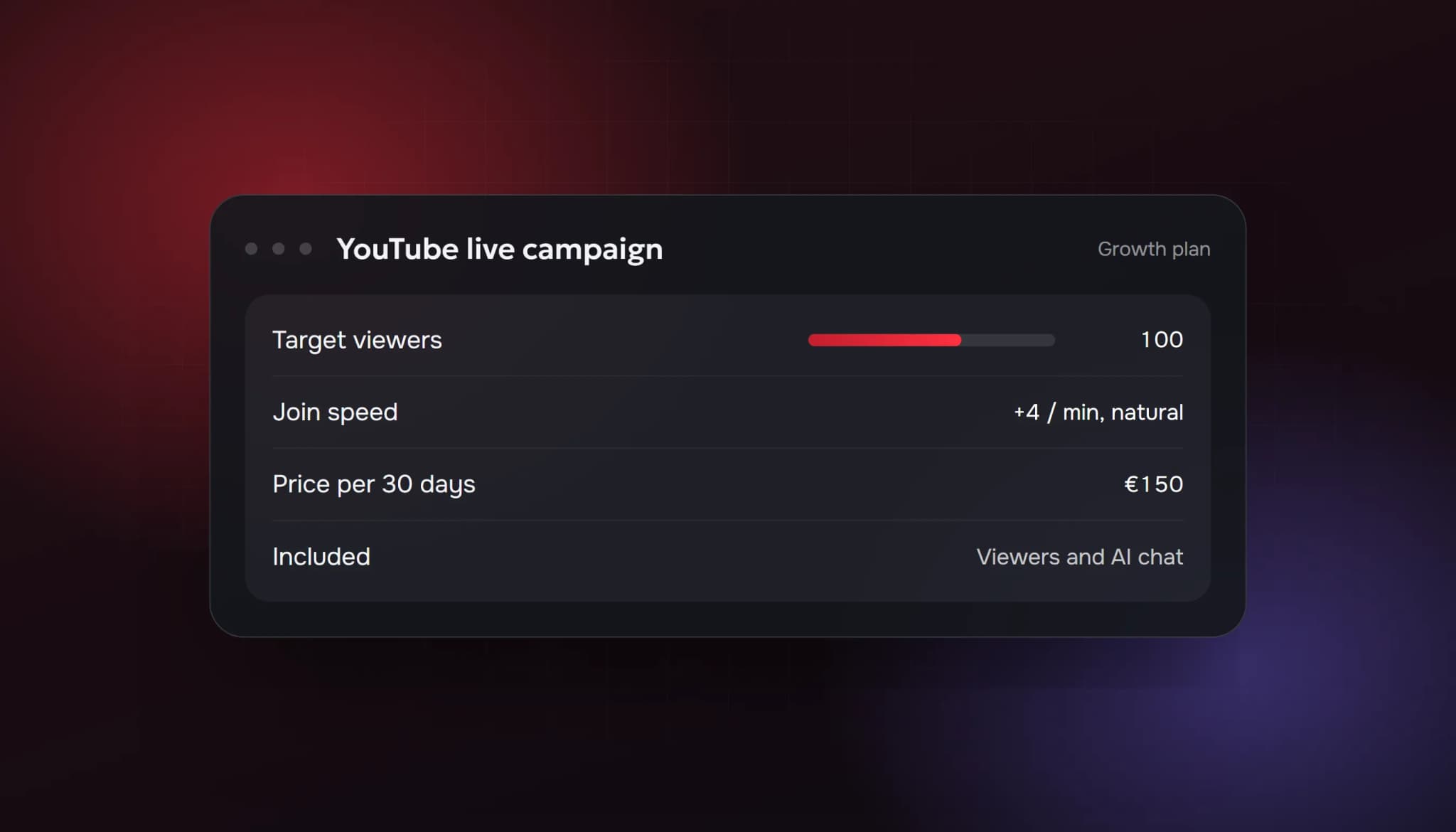
A YouTube live viewer bot adds accounts to your live stream as concurrent viewers, so the "watching now" number goes up. It doesn't create subscribers, watch hours or Super Chats. And YouTube is the one big platform whose policy mentions this practice by name, so it's worth reading what the policy says before you decide.
This guide covers what a viewer bot does, what the ViewerBoss YouTube plans include and cost, and what YouTube's Help pages say.
What a YouTube live viewer bot does
YouTube shows how many people are watching a live stream in search results, on the Live tab and on the watch page. A stream with people watching looks worth clicking. One with two viewers is easy to scroll past.
A viewer bot changes that number while you're live:
- Viewers join your stream at a join speed you choose, for example 4 per minute, instead of all at once.
- They stay around the target you set for as long as the stream runs.
- The "watching now" count goes up by that amount.
With ViewerBoss, YouTube plans also include AI chat messages in your live chat, so a newcomer doesn't land in a silent room. They don't include subscribers, likes or comments on your videos.
What it doesn't do
- It doesn't add subscribers. Subscribers come from people who like what they see.
- It doesn't add qualified watch hours. Watch time from artificial traffic is not something you can count on for the YouTube Partner Program.
- It doesn't make real viewers stay. Your title, thumbnail, first minute and chat decide that.
- It doesn't earn Super Chats or memberships. Those come from real people.
What it costs
YouTube plans use the same viewer tiers as our Twitch plans at twice the price. Prices are per 30 days, and longer periods cost less per month.
| Plan | Concurrent viewers | Price per 30 days |
|---|---|---|
| Basic | 25 | €50 |
| Starter | 50 | €90 |
| Growth | 100 | €150 |
| Professional | 200 | €250 |
| Business | 500 | €500 |
| Elite | 1,000 | €1,000 |
Longer periods are discounted: 15% off for 90 days, 20% for 180 days and 25% for 360 days. There's no free trial for YouTube at the moment, so the smallest plan (25 viewers, 30 days) is the way to start.
How ordering works
- Pick a plan and period in the calculator on our buy YouTube live viewers page.
- Register in the ViewerBoss dashboard and pay through Stripe.
- Add your YouTube channel, set the target count and join speed, then go live as usual.
You can change the target or the speed from the dashboard at any time, including mid-stream.
What YouTube says
YouTube's fake engagement policy says YouTube doesn't allow anything that artificially increases views, likes, comments or other metrics, either through automatic systems or by serving videos to unsuspecting viewers. It specifically lists content that knowingly uses a service to artificially inflate live traffic, which it calls viewbotting. It also prohibits linking to or promoting third-party services that inflate metrics.
On consequences, YouTube's Help pages say that:
- violating content and channels may be removed or terminated;
- strikes apply, and three strikes within 90 days may terminate a channel;
- terminated accounts' subscribers and views don't count toward your totals;
- its systems can slow, freeze or change a metric count and discard low-quality playbacks, and "invalid traffic" includes automated traffic and traffic boosting services.
No provider can remove this risk, and it applies to live traffic explicitly. If your channel is monetized, or you plan to monetize it, think about that before you buy.
When it might make sense, and when it doesn't
It may make sense if:
- you're testing on a small or secondary channel and understand the policy,
- you're comfortable that the count can be adjusted or removed,
- you'll keep working on real discovery at the same time.
It doesn't make sense if:
- your channel is already monetized or close to the thresholds and a strike would hurt,
- you're hoping it will grow subscribers or watch hours,
- you can't afford to lose the channel.
If you decide to use one
- Start with the smallest plan and watch how the channel behaves.
- Keep numbers believable for your topic. Search your topic on YouTube, filter by Live, and match what similar streams show.
- Raise the target over weeks, not in one day.
- Keep building real discovery: scheduled streams, good titles, Shorts and archives.
Quick checklist
- You understand it adds viewers and AI chat only (no subscribers or watch hours)
- You've read YouTube's fake engagement policy
- You're not risking a monetized or near-monetized channel
- You're starting with 25 to 100 viewers
- You're still investing in titles, thumbnails and your first minute
FAQ
What is a YouTube live viewer bot?
A service that sends accounts into your live stream as concurrent viewers so the "watching now" number goes up.
How much do YouTube live viewers cost?
From €50 for 25 viewers over 30 days, up to €1,000 for 1,000 viewers. Longer periods are 15% to 25% cheaper per month.
Does it include chat?
Yes, ViewerBoss YouTube plans include AI chat messages. They don't include subscribers or likes.
Is it allowed by YouTube?
No. YouTube's fake engagement policy prohibits artificially inflating metrics and names live viewbotting specifically.
Will it help me reach monetization?
No. It doesn't add subscribers, and YouTube doesn't count artificial traffic. See the real YouTube monetization requirements.
Sources: YouTube Help: Fake engagement policy; YouTube Help: Invalid traffic on your videos; YouTube Help: How engagement metrics are counted. Prices from ViewerBoss. All checked 6 October 2026.
- youtube live viewer bot
- youtube live view bot
- buy youtube live viewers
- youtube live viewers price
- is a youtube live viewer bot safe
ViewerBoss Team
Guides on growing a stream on Twitch and Kick