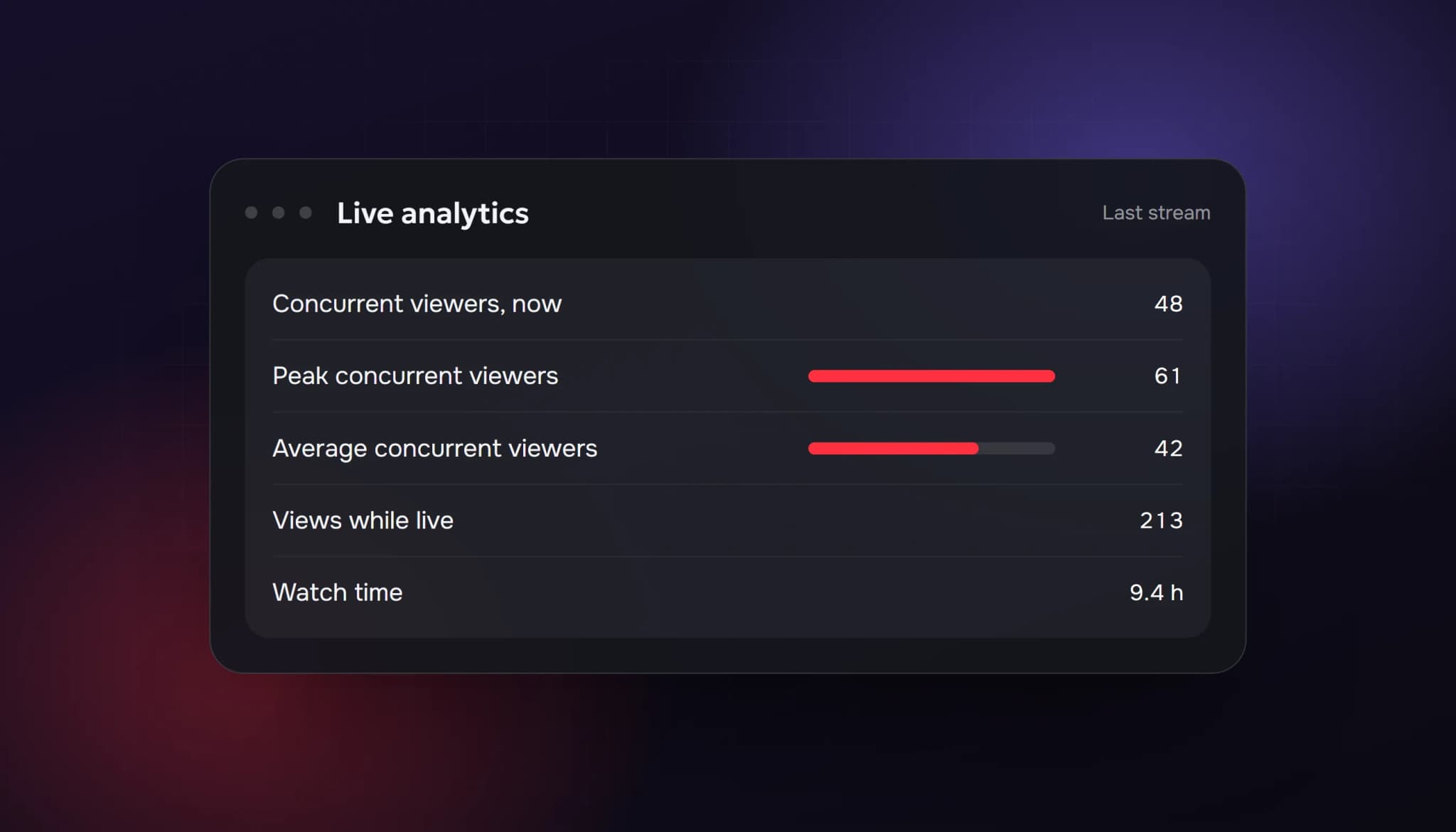
YouTube reports a live stream with several different numbers, and they don't mean the same thing. The number people see while you're live is how many are watching right now. Your analytics later show the peak, the average and the total views. Knowing which is which stops you from comparing the wrong figures.
The definitions below are YouTube's own, from its Help pages (checked on 6 October 2026).
The live metrics, in YouTube's words
| Metric | What YouTube says it is |
|---|---|
| Concurrent viewers | The number of simultaneous viewers |
| Peak concurrent viewers | The highest number of viewers during a live stream |
| Average concurrent viewers | The average number of viewers watching your stream simultaneously at any one time |
| Views | The total number of times a live stream was viewed while live |
| Watch time | The total time the event was played across all views |
Two of these are easy to mix up:
- Concurrent viewers answer "how many are here right now?" That's the number that makes a stream look busy or empty to someone browsing.
- Views answer "how many times was the stream opened while live?" One person who leaves and comes back counts more than once. A stream can have 400 views and never more than 40 people at the same time.
Where to find them
- Live Control Room shows real-time analytics while you stream, including concurrent viewers, views, chat rate and likes.
- YouTube Studio shows video-level and channel-level analytics, including average and peak concurrent viewers and audience retention, once the stream ends.
- Per YouTube's help page on viewing live stream data, metrics are available within minutes after your stream ends. Open Content, choose the Live tab, then Analytics and Engagement.
Which number should you watch?
It depends on the question:
| Question | Metric |
|---|---|
| Does my stream look busy to newcomers? | Concurrent viewers, live |
| How big was my best moment? | Peak concurrent viewers |
| How many people were there on a typical minute? | Average concurrent viewers |
| Did people actually stay? | Watch time and audience retention |
| How many people came through? | Views |
Average concurrent viewers is the fairest number to compare week to week. Peak concurrent viewers is the number that gets exaggerated, because one spike is enough to set it.
Why the number can change or look wrong
YouTube says its systems need time to work out which engagement is legitimate, and that metrics can take time to appear in the first hours after something is published. To check that numbers are accurate, YouTube may temporarily slow down, freeze or change a metric count, and discard low-quality playbacks.
YouTube's help page on how metrics are counted also says views are counted the moment a video starts to play across formats, live streams included, from 24 August 2026. If you compare your recent streams with older ones, remember that the counting method changed.
In practice, expect these to move:
- A view count that rises and then drops slightly. YouTube is validating.
- Analytics that don't match the number you saw live. Live Control Room shows what is happening at that moment. Studio shows the processed figures afterwards.
- A peak that's lower than a spike you remember. Low-quality or duplicate playbacks can be discarded.
What this means for bought viewers
If you buy live viewers, they affect concurrent viewers, the "watching now" number. They don't add watch hours that count toward monetization, and YouTube's fake engagement policy prohibits artificially inflating metrics, including live traffic ("viewbotting"). YouTube's systems can also adjust or discard counts, so a bought number isn't guaranteed to stay what you saw.
We cover the policy, the plans and the risks in our guide to the YouTube live viewer bot. If you'd rather grow without it, start with how to get more viewers on YouTube Live and the monetization requirements.
Quick reference
- Watching now = concurrent viewers
- Peak = the highest moment, easy to spike
- Average = the best week-to-week comparison
- Views = how many times it was opened, not how many people
- Studio's numbers can differ from what you saw live
FAQ
What is a concurrent viewer on YouTube?
Per YouTube Help, the number of simultaneous viewers watching a live stream at the same moment.
Why are my live views higher than my peak viewers?
Views count how many times the stream was viewed while live, so a person who rejoins counts again. Peak counts how many were there at the same time.
Why did my live viewer count change after the stream?
YouTube validates metrics and may slow, freeze or change a count and discard low-quality playbacks, so processed analytics can differ from what you saw live.
How long until live analytics show up?
YouTube says metrics are available within minutes after the stream ends.
Sources: YouTube Help: See your live stream's metrics; YouTube Help: View live stream data; YouTube Help: How engagement metrics are counted; YouTube Help: Fake engagement policy. All checked 6 October 2026.
- how youtube counts live viewers
- youtube concurrent viewers
- youtube live viewer count
- youtube live analytics
- peak concurrent viewers
ViewerBoss Team
Guides on growing a stream on Twitch and Kick