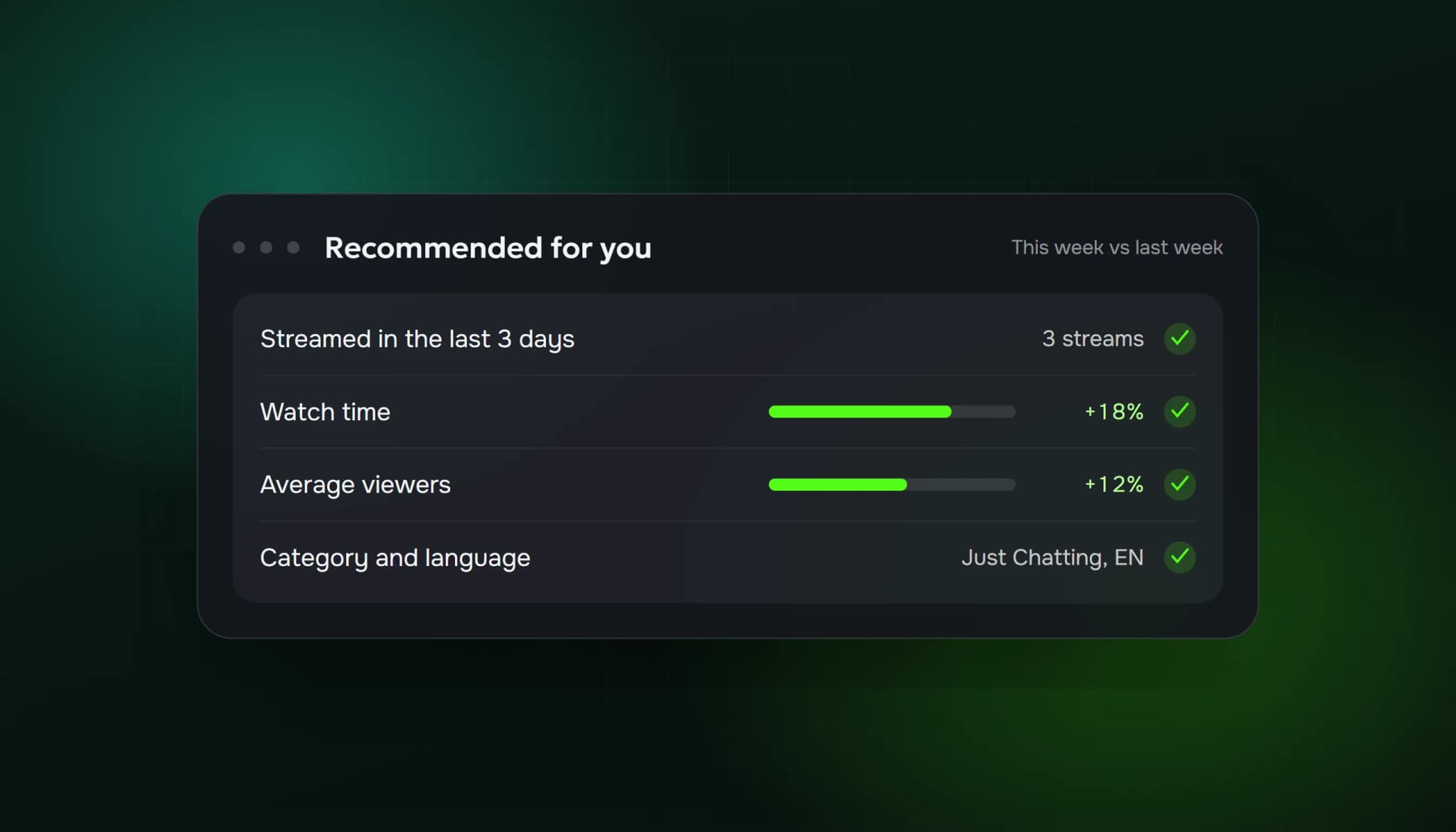
Kick's recommender favours growth and recency. According to Kick's help center, it recommends channels whose viewership grows consistently and whose watch time grows week on week, channels that have streamed at least once in the past 7 days, and new channels that streamed in the past 3 days. The more recently you streamed, the more likely you are to be recommended.
That tells you most of what a new streamer needs to know: stream often, keep people watching longer than last week, and don't disappear for a week.
How viewers find streams on Kick
There are three main ways a stranger lands on your stream:
- Recommendations on the homepage, based on the categories and streamers each viewer watches and the channels they follow.
- Category pages, which viewers can sort by concurrent viewers, recency and other options, and filter by language.
- Clips that someone shares, on Kick or on social media.
Category pages are where viewer count matters most. Someone sorting by viewers sees the biggest streams first, and a stream with 3 viewers sits far down the list. Our post on how Twitch ranks streams in categories explains the same effect on Twitch.
1. Stream at least every few days
Recency is the one factor in the recommender you control completely. New channels need a stream in the last 3 days to be recommended as new; established ones need one in the last 7 days. Three streams a week keeps you inside both windows.
Kick's own advice on timing is that a good time you can stick to consistently beats an "optimal" time you can only manage sometimes.
2. Grow watch time, not just viewers
The recommender looks at watch time growing week on week. In practice that means:
- Stream a little longer than last week, if you can keep the energy up.
- Give people a reason to stay: a goal for the stream, a run you're trying to finish, a question you'll answer at the end.
- Don't end abruptly. Tell chat what's coming next and when you're live again.
Ten people watching for an hour is more watch time than forty people who leave after a minute.
3. Write a title someone would click
Kick's help center says a title should be short enough to read at a glance, and that the cut-off version still needs to make sense. It suggests specific, honest titles with keywords people search for, such as "Playing Elden Ring for the first time", and patterns like first playthroughs, goals, questions and milestones ("Day 30 of streaming").
Avoid generic titles, all caps, symbols and clickbait that doesn't match the stream.
4. Make the live preview look alive
On the homepage and category pages, people see a small live preview of your stream. Kick recommends:
- A visible face: streams with a webcam do better
- Active gameplay instead of menus, loading screens or a "starting soon" screen
- Clean overlays that are readable at small sizes
The first minutes matter most. Start on camera with energy, not with fixing your audio.
5. Pick the right category and language
Choose the category that matches what you're doing. Kick treats category abuse as a guideline violation. Set your stream language correctly too: viewers can filter category pages by language, and the recommender uses each new viewer's regional language.
Smaller categories can help. In a category with 30 live streams, 10 viewers can put you on the first screen. In Just Chatting, it won't.
6. Make clips, and let viewers make them
Kick clips are 10 to 180 seconds long, and any logged-in viewer can create one from your stream or VOD. Ask regulars to clip good moments, and post the best ones to TikTok, Instagram, X and Discord. Kick's help center notes that many top streamers use social media this way.
Announce your stream 30 to 60 minutes before you go live wherever your audience is.
7. Talk to everyone in chat
Kick's beginner checklist is blunt about it: engage chat even when it's empty, greet viewers by name and stay calm when numbers are low. A viewer who gets a reply is far more likely to follow and come back.
If chat is quiet, see our tips on getting people to talk in chat.
8. Turn on subscriptions early
Kick lets you enable subscriptions after 5 hours of streaming in total, and you keep 95% of subscription revenue. Subscriptions give regulars a way to support you and count toward the KICK Partner Program later.
Getting to your first 50 viewers: a 30-day plan
| Week | Focus |
|---|---|
| 1 | Fix your setup (OBS settings for Kick), pick 3 fixed time slots, do your first streams |
| 2 | Same slots, specific titles, webcam on, clip one moment per stream |
| 3 | Post clips on 2 social platforms, announce each stream 30 to 60 minutes ahead |
| 4 | Look at which streams had the most watch time and do more of those |
Where a viewer bot fits in
Because category pages can be sorted by viewers, some streamers use a viewer bot to move up the list. If you consider it:
- It changes where you appear and the number people see. It doesn't make anyone stay, chat or follow.
- Kick reviews Partner applications by hand, and platforms treat artificially inflated viewership as a policy risk. Read Kick's terms before you decide.
- Keep numbers realistic for your category. A jump from 3 to 300 looks wrong to viewers.
Our Kick view bot page explains how ours works, and buy Kick viewers lists the plans.
FAQ
How does Kick decide who to recommend?
According to Kick's help center: consistent viewership growth, watch time growing week on week, how recently you streamed (7 days for active channels, 3 days for new ones), and what each viewer watches and follows.
Is it easier to grow on Kick than Twitch?
Kick has fewer streamers in most categories, so a small stream can reach the first screen with fewer viewers. Twitch has more viewers overall. Many streamers try both.
How often should I stream on Kick?
At least every 3 days while your channel is new, so you stay inside the recommender's window, and at fixed times you can keep.
Do clips help on Kick?
Yes, mostly outside Kick. Clips are what people share on TikTok, X and Discord, and that's how many new viewers first hear about a streamer.
Sources: Kick Help Center: KICK's recommender system (updated 26 June 2026); Kick Help Center: How to attract new Viewers (updated 6 May 2026); Kick Help Center: Understanding KICK.com's homepage and finding content (updated 9 July 2026); Kick Help Center: Getting started as a Streamer (updated 6 May 2026); Kick Help Center: How to create clips on KICK.
ViewerBoss Team
Guides on growing a stream on Twitch and Kick